
Azure cloud administration is the daily work of running a company’s systems on Microsoft Azure. You set up who can sign in and what they can touch, build the network, run the servers and keep the data safe. When a VM won’t boot or a storage account suddenly says 403, you are the one who finds out why.
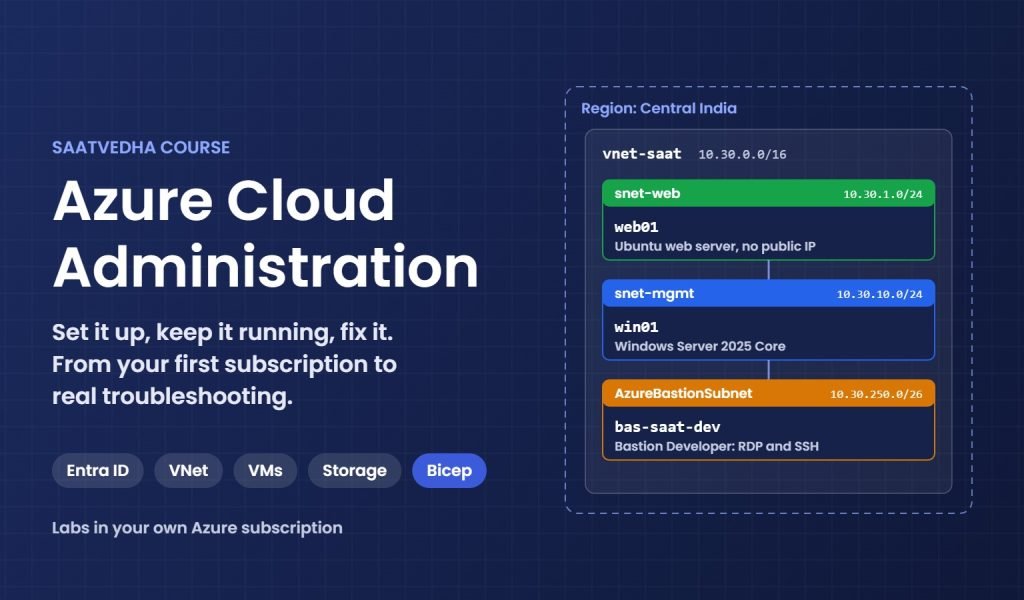
This course teaches that work from the first login to real troubleshooting. You build one small company setup in your own Azure subscription, step by step: Microsoft Entra ID users and roles, a virtual network, Linux and Windows VMs, disks, storage accounts and DNS. Then you run it: Bastion instead of open RDP, patching, monitoring with KQL, backups, Bicep and runbooks.
Later phases cover the enterprise side: hub-and-spoke networks, Azure Firewall, VPN Gateway, load balancers, Azure Policy, Key Vault, Ultra Disk and iSCSI. You also see how Commvault, Rubrik, ExpressRoute and Azure NetApp Files fit in, with a lab you can run without buying them.
A big part of the course is troubleshooting. For each common problem you learn what to check, where to check it and how to fix it: Boot diagnostics and Serial Console, IP flow verify and Next hop, private endpoint DNS, HTTP 429 throttling from backup jobs. Every lesson has a “Break It, Then Fix It” lab, so you see the real error before you meet it at work.
What you need: a laptop, an Azure free account and the Azure CLI. Every lab tells you what it costs and how to delete everything afterwards. Lesson 2 sets up a budget alert before you create anything.
Who This Course Is For
- Freshers aiming for a first cloud support or Azure administrator job
- Windows and Linux admins moving servers from the data centre to Azure
- Backup and storage engineers who now protect workloads in Azure
- Support engineers who look after Azure subscriptions at work
- Anyone preparing for the AZ-104 Azure Administrator exam
What You Will Learn
By the end of this course, you will be able to:
- Set up a safe Azure subscription with MFA, budgets and least-privilege RBAC
- Build virtual networks with NSGs, NAT Gateway and private DNS
- Run Linux and Windows VMs without opening RDP or SSH to the internet
- Store and protect data with storage accounts, SAS, Azure Backup and Site Recovery
- Monitor with Azure Monitor and KQL, and automate with Bicep and runbooks
- Design hub-and-spoke networks with Azure Firewall, VPN Gateway and load balancers
- Troubleshoot step by step: what to check, where, and how to fix it
Why Learn Azure Cloud Administration?
Most companies that use Microsoft 365 or Windows Server already run some of their systems on Azure. They need people who can keep those systems running, not only build them once.
The questions at work are practical. Why can’t this VM reach the database in the peered network? Why does the backup job fail every night at 1 AM, and why did the bill jump this month?
This course answers those questions in your own subscription. You use the portal and the Azure CLI, the way real teams check and fix things quickly.
- Get hired for cloud support, Azure administrator and cloud engineer roles
- Fix connection, permission and storage problems by checking, not guessing
- Keep costs under control and avoid surprise bills
- Run backups and disaster recovery you have actually tested
- Prepare for the AZ-104 exam with real hands-on practice
Course Meta Information
Estimated Time: 75 lessons, about 75 hours
Difficulty: Beginner
Tracks: Cloud
Categories: Azure Cloud
Further reading: Azure cloud administration
Microsoft’s official documentation: Azure documentation on Microsoft Learn.
New to the cloud? Start with our Cloud Computing course. Our Windows Server Administration course covers the Windows skills you use on Azure VMs.
-
Phase 0: Before you start
-
Phase 1: The foundation
-
Phase 2: Day-to-day operations
-
Phase 3: Enterprise architecture
-
Phase 4: Troubleshooting step by step
-
Phase 5: Final project and career