
Windows Server administration is the work of keeping a company’s servers running. These servers sign people in, hand out IP addresses, store shared files and push settings to every laptop. When they stop, nobody can work.
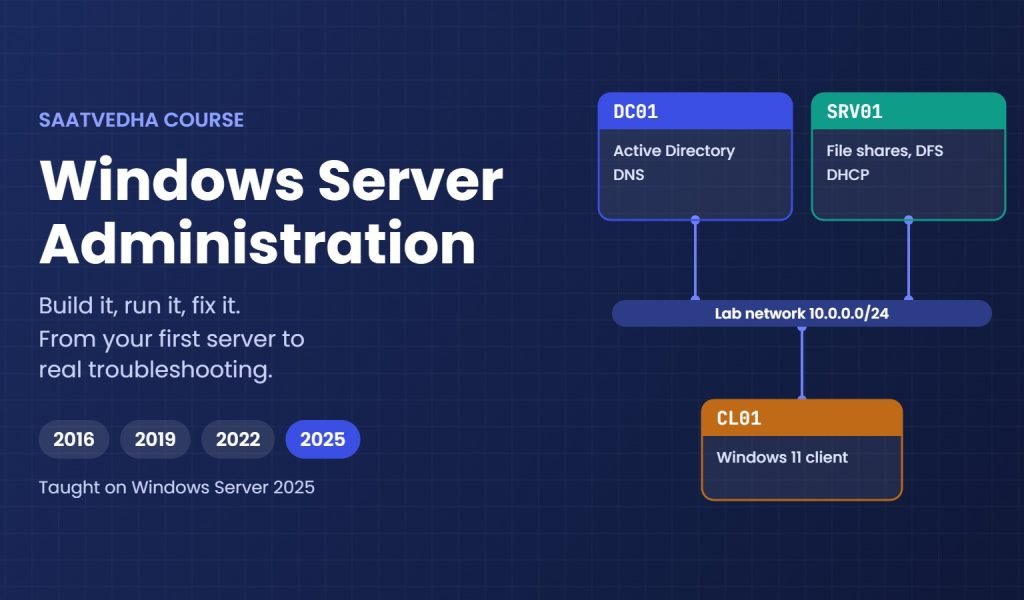
This course teaches you to build, run and fix them. You start with a lab on your own laptop and build a small company network, one server at a time: a domain controller, DNS, DHCP, file shares and Group Policy first, then Hyper-V, clustering, backup and hybrid management with Azure Arc.
We cover Windows Server 2016, 2019 and 2022, and we teach on Windows Server 2025, the current version. When a feature works differently on an older version, the lesson tells you.
A big part of the course is troubleshooting. You learn what to check, where to check it and in which order, with the event IDs and commands working admins use every day. Every lesson has a “Break It, Then Fix It” lab, so you see the real error in your lab before you meet it at work.
What you need: a laptop with 8 GB of RAM (16 GB is better for the clustering labs), VirtualBox, and the evaluation versions of Windows Server 2025 and Windows 11 Enterprise from Microsoft. Lesson 2 walks you through the setup.
Who This Course Is For
- Freshers who want a first job as a system administrator or support engineer
- Helpdesk and desktop support engineers moving up to server work
- Linux or storage admins who now look after Windows servers too
- Working Windows admins who want to fill gaps and learn what is new in Server 2025
- Anyone preparing for the AZ-802 Windows Server exam
What You Will Learn
By the end of this course, you will be able to:
- Install and set up Windows Server 2025, with and without a desktop
- Build Active Directory, DNS and DHCP for a small company
- Control users and computers with Group Policy
- Secure servers with LAPS, Credential Guard and security baselines
- Run Hyper-V, failover clusters and backups
- Automate daily jobs with PowerShell
- Troubleshoot step by step: what to check, where, and in what order
Why Learn Windows Server?
Windows Server still runs sign-in, file sharing and core network services in most companies, including the ones moving to the cloud. Azure and hybrid setups use the same Active Directory, DNS and PowerShell skills, so what you learn here keeps paying off.
Admins who can fix a broken domain or a failing cluster under pressure are always needed. Those are the skills this course builds, one lab at a time.
- Get hired for system admin, support and infrastructure roles
- Fix sign-in, DNS and Group Policy problems by checking, not guessing
- Understand what a change does before you make it
- Build a base for Azure, hybrid cloud and storage work
- Prepare for the AZ-802 exam
Course Meta Information
Further reading: Windows Server administration
Microsoft’s official documentation: Windows Server documentation on Microsoft Learn.
Next step after this course: our Cloud Computing course, which builds on the same server and virtualization skills.
-
Phase 0: Before you start
-
Phase 1: The foundation
-
Phase 2: Core administration and security
-
Phase 3: Enterprise infrastructure
-
Phase 4: Troubleshooting step by step
-
Phase 5: Final project and career