


4Give space back
Turn on space-allocation for thin LUNs and let hosts run UNMAP, so deleted files free real blocks in the aggregate.
| Setting | Thick | Thin |
|---|---|---|
| Volume -space-guarantee | volume | none |
| LUN -space-reserve | enabled | disabled |
| Aggregate space used at create | full size | almost nothing |
| When the aggregate fills | thick volume still has its space | writes fail; LUNs may go offline |
In System Manager: Storage › Volumes › Edit › Storage and optimization shows thin provisioning, and Storage › Tiers shows aggregate use.

Good to know: space SLO: thick, semi-thick and none in one switch
Instead of setting the volume guarantee, LUN reservation and fractional reserve one by one, volume create accepts -space-slo thick, semi-thick or none. Each value applies a matching set of space settings in one go.
Semi-thick keeps the volume thick and the LUN reserved but sets fractional reserve to 0, and relies on snapshot autodelete and autosize when space runs short. It saves space compared with fully thick and suits teams that accept a best-effort guarantee for overwrites.
Before you run any command, double-check it
Read every command twice before you press Enter. Check the target: the server name, the user, the disk or device name, the path and the sizes. These commands are for learning and were tested in our lab, not on your system. At work, run the read-only commands first, follow your change process, make sure a backup exists, and ask a second person to check anything that changes or deletes data. You run them at your own risk.
This lab uses the SaatVedha ONTAP practice shell, our own learning tool. It is not NetApp software: real ONTAP output looks like this but is not identical.
1Look at the empty aggregate
Reset and run setup-29.txt, log in, then:
storage aggregate show -aggregate aggr1_01 -fields size,usedsize,availsize,percent-usedYou should see this:
aggregate size   usedsize availsize percent-used
--------- ------ -------- --------- ------------
aggr1_01 8.80TB 1.18GB 8.80TB 0%2Create one thick and two thin volumes
volume create -vserver svm1 -volume vol_thick -aggregate aggr1_01 -size 2t -space-guarantee volume
volume create -vserver svm1 -volume vol_thin1 -aggregate aggr1_01 -size 6t -space-guarantee none
volume create -vserver svm1 -volume vol_thin2 -aggregate aggr1_01 -size 6t -space-guarantee none
volume show -vserver svm1 -fields size,used,space-guarantee
storage aggregate show -aggregate aggr1_01 -fields size,usedsize,availsize,percent-used
You should see this:
vserver volume    size used    space-guarantee
------- --------- ---- ------- ---------------
svm1    svm1_root 1GB  621.8KB volume
svm1    vol_thick 2TB  629.4MB volume
svm1    vol_thin1 6TB  1.84GB  none
svm1    vol_thin2 6TB  1.84GB  none
4 entries were displayed.
saat-cluster::> storage aggregate show -aggregate aggr1_01 -fields size,usedsize,availsize,percent-used
aggregate size   usedsize availsize percent-used
--------- ------ -------- --------- ------------
aggr1_01  8.80TB 2.00TB   6.80TB    23%
The thick volume holds almost no data, yet the aggregate already lost 2 TB to it. The two thin volumes promise 12 TB and take nearly nothing. In total you’ve promised 14 TB on an 8.8 TB aggregate: about 159 percent.
✅ Checkpoint: The aggregate shows 2.00TB used with almost no data written.

3A thin LUN and its space settings
lun create -vserver svm1 -path /vol/vol_thin1/lun1 -size 4t -ostype linux -space-reserve disabled
volume show -vserver svm1 -volume vol_thin1 -fields fractional-reserve
volume show-space -vserver svm1 -volume vol_thin1
lun show -vserver svm1 -fields space-reserve,space-allocation
You should see this (trimmed):
vserver volume    fractional-reserve
------- --------- ------------------
svm1    vol_thin1 0%
saat-cluster::> volume show-space -vserver svm1 -volume vol_thin1
...
      User Data                                1.84GB         0%
      Snapshot Reserve                        307.2GB         5%
Total Used                                 309.1GB         5%
Total Physical Used                         1.84GB         0%
saat-cluster::> lun show -vserver svm1 -fields space-reserve,space-allocation
vserver path                space-reserve space-allocation
------- ------------------- ------------- ----------------
svm1    /vol/vol_thin1/lun1 disabled      enabled
Fractional reserve is 0 on the thin volume. show-space counts the 5 percent snapshot reserve as used inside the volume, but Total Physical Used is what really sits on disk. space-allocation enabled means hosts can send UNMAP. On real ONTAP, if it’s disabled, you turn it on with lun modify -space-allocation enabled while the LUN is offline.
✅ Checkpoint: The LUN is thin (space-reserve disabled) with space-allocation enabled.
4Write and delete on a real-looking Linux host, then reclaim
Give lun1 to linux1 over iSCSI. In the cluster terminal, add an iSCSI LIF on each node, an igroup with linux1’s IQN, and the mapping:
vserver iscsi create -vserver svm1
network interface create -vserver svm1 -lif svm1_iscsi1 -service-policy default-data-iscsi -home-node saat-cluster-01 -home-port e0d -address 192.168.56.131 -netmask 255.255.255.0
network interface create -vserver svm1 -lif svm1_iscsi2 -service-policy default-data-iscsi -home-node saat-cluster-02 -home-port e0d -address 192.168.56.132 -netmask 255.255.255.0
lun igroup create -vserver svm1 -igroup ig_linux1 -protocol iscsi -ostype linux -initiator iqn.2004-10.com.ubuntu:01:5a7e1a2b3c4d
lun mapping create -vserver svm1 -path /vol/vol_thin1/lun1 -igroup ig_linux1
Each command returns to the prompt with no message when it works. Now open a second terminal and start the Linux client with python ontapsim.py --host linux1. Log in to the target and look at the new disk:
iscsiadm -m discovery -t sendtargets -p 192.168.56.131
iscsiadm -m node --login
multipath -ll
lsblk -D /dev/sdb
You should see this:
root@linux1:~# iscsiadm -m discovery -t sendtargets -p 192.168.56.131
192.168.56.131:3260,1034 iqn.1992-08.com.netapp:sn.c84b2d40ac3f32ca940fcb7e13e6d933:vs.3
192.168.56.132:3260,1035 iqn.1992-08.com.netapp:sn.c84b2d40ac3f32ca940fcb7e13e6d933:vs.3
root@linux1:~# iscsiadm -m node --login
Logging in to [iface: default, target: iqn.1992-08.com.netapp:sn.c84b2d40ac3f32ca940fcb7e13e6d933:vs.3, portal: 192.168.56.131,3260]
Logging in to [iface: default, target: iqn.1992-08.com.netapp:sn.c84b2d40ac3f32ca940fcb7e13e6d933:vs.3, portal: 192.168.56.132,3260]
Login to [iface: default, target: iqn.1992-08.com.netapp:sn.c84b2d40ac3f32ca940fcb7e13e6d933:vs.3, portal: 192.168.56.131,3260] successful.
Login to [iface: default, target: iqn.1992-08.com.netapp:sn.c84b2d40ac3f32ca940fcb7e13e6d933:vs.3, portal: 192.168.56.132,3260] successful.
root@linux1:~# multipath -ll
3600a098062686b727378343378416f54 dm-1 NETAPP,LUN C-Mode
size=4T features='3 queue_if_no_path pg_init_retries 50' hwhandler='1 alua' wp=rw
|-+- policy='service-time 0' prio=50 status=active
| `- 30:0:0:0 sdb 8:16 active ready running
`-+- policy='service-time 0' prio=10 status=enabled
  `- 31:0:0:0 sdc 8:32 active ready running
root@linux1:~# lsblk -D /dev/sdb
NAME                                DISC-ALN DISC-GRAN DISC-MAX DISC-ZERO
sdb                                        0        4K       4G         0
└─3600a098062686b727378343378416f54        0        4K       4G         0
The host sees a 4 TB disk even though the volume holds almost nothing. lsblk -D matters here: a non-zero DISC-GRAN and DISC-MAX mean the LUN accepts discard (UNMAP), which is what space-allocation enabled gives you. If both columns were 0, fstrim would fail with “the discard operation is not supported”.
Your WWID (the long name starting 3600a098) will be different from ours, so copy it from your own multipath -ll output. Make a file system, mount it and write 3 GiB:
mkfs.xfs /dev/mapper/<your-WWID>
mkdir -p /data
mount /dev/mapper/<your-WWID> /data
dd if=/dev/urandom of=/data/load1.bin bs=1M count=3072
df -h /data
You should see this (the mkfs.xfs details are trimmed):
Discarding blocks...Done.
...
root@linux1:~# mkdir -p /data
root@linux1:~# mount /dev/mapper/3600a098062686b727378343378416f54 /data
root@linux1:~# dd if=/dev/urandom of=/data/load1.bin bs=1M count=3072
3072+0 records in
3072+0 records out
3221225472 bytes (3.2 GB, 3.0 GiB) copied, 6.4 s, 503 MB/s
root@linux1:~# df -h /data
Filesystem                                    Size  Used Avail Use% Mounted on
/dev/mapper/3600a098062686b727378343378416f54  4.0T   13G  4.0T   1% /data
Back in the cluster terminal, see what that cost on the storage side:
lun show -vserver svm1 -path /vol/vol_thin1/lun1 -fields size,size-used,space-reserve,space-allocation
volume show -vserver svm1 -volume vol_thin1 -fields size,used
You should see this:
vserver path                size size-used space-reserve space-allocation
------- ------------------- ---- --------- ------------- ----------------
svm1    /vol/vol_thin1/lun1 4TB  12.70GB   disabled      enabled
saat-cluster::> volume show -vserver svm1 -volume vol_thin1 -fields size,used
vserver volume    size used
------- --------- ---- -------
svm1    vol_thin1 6TB  14.54GB
A 4 TB LUN that uses 12.70 GB: the 3 GiB file plus the XFS metadata. Now delete the file on linux1 and trim:
rm /data/load1.bin
df -h /data
fstrim -v /data
You should see this:
root@linux1:~# rm /data/load1.bin
root@linux1:~# df -h /data
Filesystem                                    Size  Used Avail Use% Mounted on
/dev/mapper/3600a098062686b727378343378416f54  4.0T  9.8G  4.0T   1% /data
root@linux1:~# fstrim -v /data
/data: 4086 GiB (4387493747937 bytes) trimmed
Run the two cluster commands again:
vserver path                size size-used space-reserve space-allocation
------- ------------------- ---- --------- ------------- ----------------
svm1    /vol/vol_thin1/lun1 4TB  9.70GB    disabled      enabled
saat-cluster::> volume show -vserver svm1 -volume vol_thin1 -fields size,used
vserver volume    size used
------- --------- ---- -------
svm1    vol_thin1 6TB  11.54GB
The LUN dropped from 12.70 GB to 9.70 GB used, and the volume gave the 3 GB back to the aggregate. Without the trim, ONTAP would still count the deleted file, because only the host knows those blocks are free. On real hosts, Ubuntu and RHEL run fstrim.timer once a week; check it with systemctl status fstrim.timer.
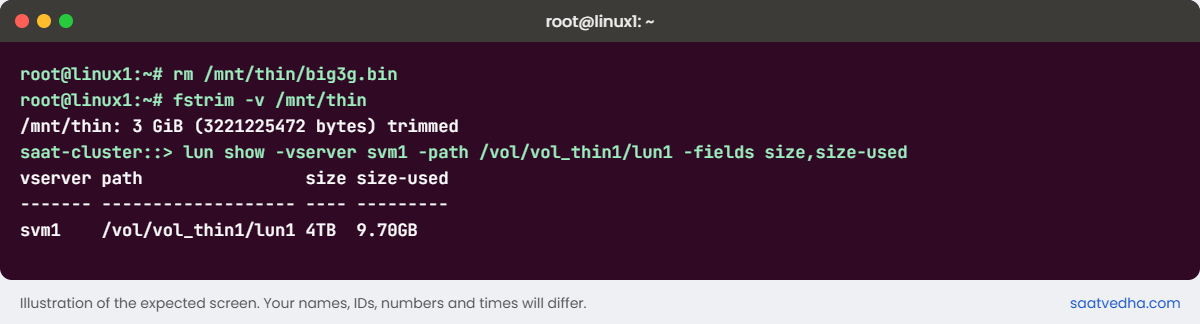
✅ Checkpoint: After fstrim, lun show reports less size-used than before the rm.

Try it yourself: Open the capacity checks in the Command Builder.
Now let the overbooked plane fill up. Other volumes on the aggregate grow until it’s 98 percent full.
1Fill the aggregate and write to a thin volume
simctl break aggr-fill aggr1_01 98
simctl write svm1 vol_thin2 200g
volume show -vserver svm1 -volume vol_thin2 -fields used,available,state
You’ll get this:
simctl: write failed. The client sees "No space left on device" (ENOSPC). Aggregate aggr1_01 is full (thin volume vol_thin2 could not get blocks).
saat-cluster::> volume show -vserver svm1 -volume vol_thin2 -fields used,available,state
vserver volume    used   available state
------- --------- ------ --------- ------
svm1    vol_thin2 1.84GB 180.3GB   online
The volume is 6 TB, holds 1.84 GB, and still the write fails. Its “available” is really the aggregate’s free space, and that ran out. Users and app teams will swear the volume is nearly empty, and they’re right.

2Find the real cause
storage aggregate show -aggregate aggr1_01 -fields size,usedsize,availsize,percent-used
event log show -severity <=ERROR
You’ll see this:
aggregate size   usedsize availsize percent-used
--------- ------ -------- --------- ------------
aggr1_01  8.80TB 8.63TB   180.3GB   98%
saat-cluster::> event log show -severity <=ERROR
Time                Node             Severity      Event
------------------- ---------------- ------------- ------------------------
11/7/2026 07:07:30 saat-cluster-01 ERROR monitor.volume.full / wafl.aggr.full: Aggregate aggr1_01 is full3Fix it
simctl fix aggr-fill
storage aggregate show -aggregate aggr1_01 -fields percent-used
In the lab the fault simply goes away. On a real cluster you’d free space fast (delete old snapshots, move a volume to another aggregate with volume move, or add disks), and then review the overcommit so it doesn’t happen again.
✅ Checkpoint: The aggregate is back below 30 percent used.