
IBM DS8000 implementation is the hands-on work of taking a new DS8000 from the loading dock to the first LUN a server uses, and then running it every day. You plan the floor space, power and network, set up the Management Console and users, apply the licences, then build arrays, ranks, extent pools, volumes and host mappings.
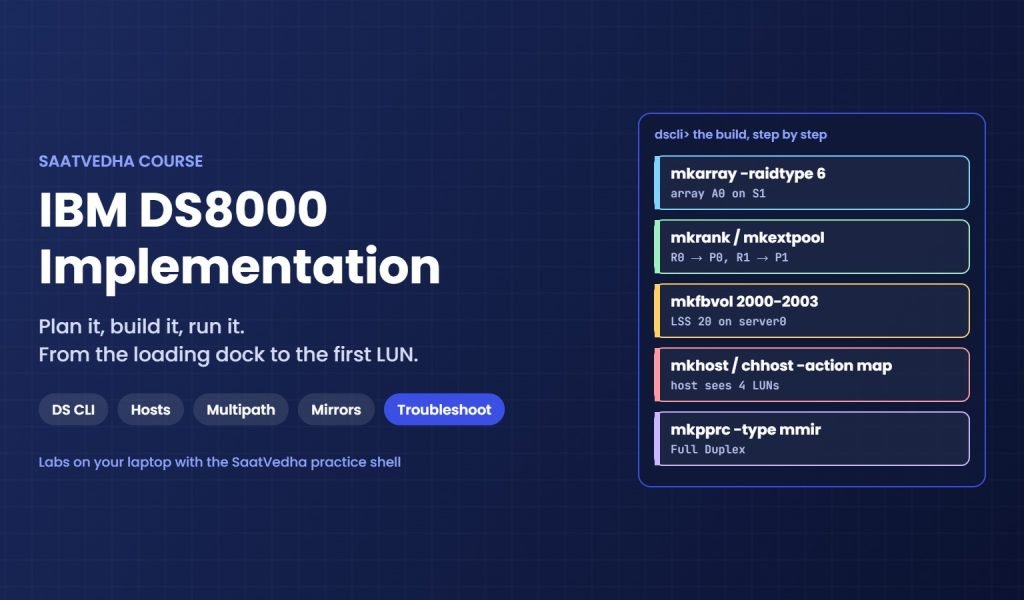
This course follows a real project in that order. You practise every step with the DS CLI commands storage teams use at work: mkarray, mkrank, mkextpool, mkfbvol, mkhost, chhost and more. You also attach Linux, Windows and VMware hosts with multipath, build CKD volumes for IBM Z, and set up FlashCopy, Metro Mirror and Global Mirror.
After the build, you learn to run it: code upgrades, SNMP and syslog, Call Home, performance checks and Ransomware Threat Detection. The troubleshooting lessons show what to check, where to check it and how to fix it when a host can’t see its disks, a pool fills up or a mirror suspends.
What you need: a laptop with Python 3 and VirtualBox. You don’t need a real DS8000. The SaatVedha practice shell behaves like the DS CLI, and an Ubuntu VM plays the server that receives the storage. Every lesson has a “Break It, Then Fix It” lab, so you meet the real errors before you see them at work.
Who This Course Is For
- Storage administrators who will install, configure or run IBM DS8000 systems
- SAN engineers who zone hosts to DS8000 ports and need the storage side too
- Freshers who want hands-on DS CLI practice before their first storage job
- Linux, Windows and VMware admins who receive DS8000 LUNs
- Engineers preparing for DS8000 interviews and on-call work
What You Will Learn
By the end of this course, you will be able to:
- Plan a DS8000 installation: space, power, network, WWPNs and licences
- Set up the Management Console, users, LDAP and MFA safely
- Build storage with the DS CLI and GUI: arrays, ranks, pools and volumes
- Map volumes to hosts and set up multipath on Linux, Windows and VMware
- Create LCUs and CKD volumes for IBM Z
- Set up FlashCopy, Safeguarded Copy, Metro Mirror and Global Mirror
- Monitor, upgrade and troubleshoot a DS8000 step by step
Why Learn IBM DS8000 Implementation?
Every DS8000 needs people who can build it right the first time and keep it healthy for years. A wrong LSS plan, a pool on one server or a host with one path can stay hidden for months, then cause an outage on the busiest night.
Teams want engineers who know the exact commands, read the output and spot what’s wrong. They also want people who check twice before deleting anything, because the DS8000 holds the data that runs the business.
This course builds that habit. You build, break and fix a full setup again and again, until the commands and the checks feel normal.
- Get hired for storage administrator and SAN engineer roles
- Build DS8000 storage with the DS CLI quickly and correctly
- Find and fix host, pool, port and mirror problems by checking, not guessing
- Run changes safely with checks before and after
- Prepare for real DS8000 interviews with hands-on answers
Course Meta Information
Estimated Time: 32 lessons, about 32 hours
Difficulty: Beginner
Tracks: Storage
Categories: SAN (Storage Area Network) Storage, Storage
Further reading: IBM DS8000 implementation
IBM’s official guide for this family: IBM Storage DS8A00 Architecture and Implementation Guide (IBM Redbooks).
Want the theory first? Take our IBM DS8000 Architecture course. For zoning the hosts to the DS8000, see the Brocade FC Switches course.
-
Phase 0: Before you start
-
Phase 1: Plan and install
-
Phase 2: Build the storage
-
Phase 3: Copy Services
-
Phase 4: Run it day to day
-
Phase 5: Troubleshooting and career